Getting a Qwen API key
About ten minutes. Do it in a desktop browser; only the last step is on the phone.
The app includes no translation credit. It talks to Alibaba Cloud Model Studio with your own account, and Alibaba Cloud bills you for what you use. Your speech never passes through our servers.
Two things to keep in mind — nearly every failure comes from one of them. The key must be created in the Singapore region; keys from other regions will not work here. And the key is shown in full only once — once you close that dialog it cannot be read again.
-
Create an Alibaba Cloud account
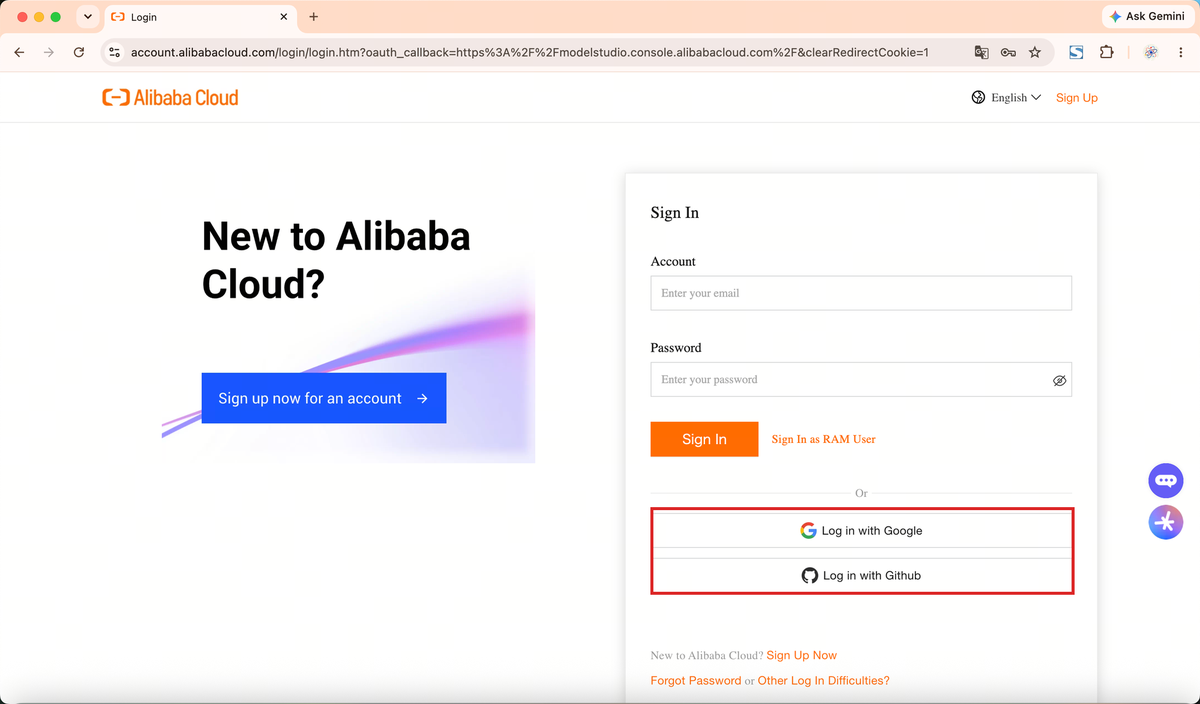
Sign up at alibabacloud.com. An email address is enough — no mainland-China phone number is required.
You can also sign in with a Google or GitHub account and skip the form.
You will need to add a credit card or PayPal before services can be activated. Adding it does not charge you anything; you are billed for actual usage.
-
Switch the region to Singapore
Open the Model Studio console at modelstudio.console.alibabacloud.com/ap-southeast-1 and check that the region at the top right reads Singapore. The link points there already, but signing in sometimes returns you to a default region, so it is worth a look.
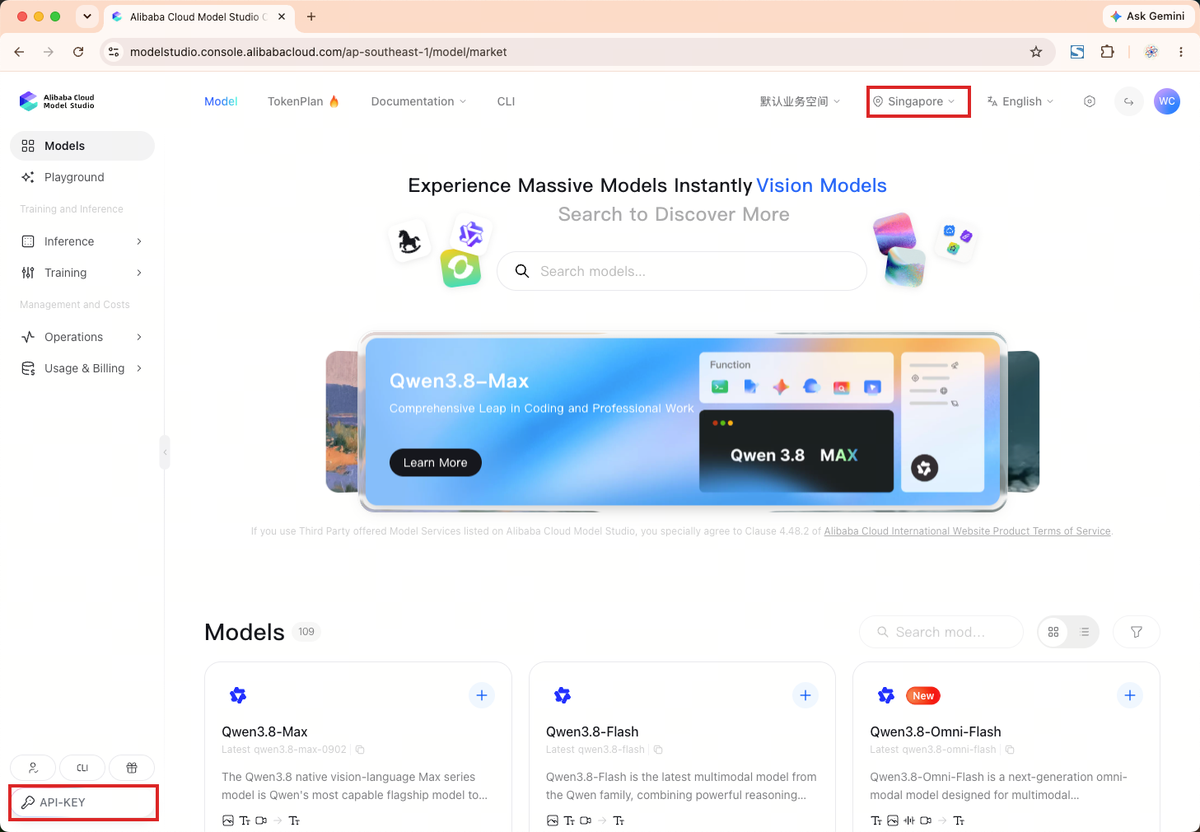
The region sits at the top right. The API-KEY button at the bottom left is where you go next — it is not in the main navigation. -
Activate Model Studio
The first visit asks you to activate the service: accept the terms and confirm. If your account is already activated you will not see this screen — go straight to the next step.
-
Open the API Key page
Click the API-KEY button at the bottom left of the console. It is a separate pill-shaped button rather than an item in the main navigation, which makes it easy to miss the first time.
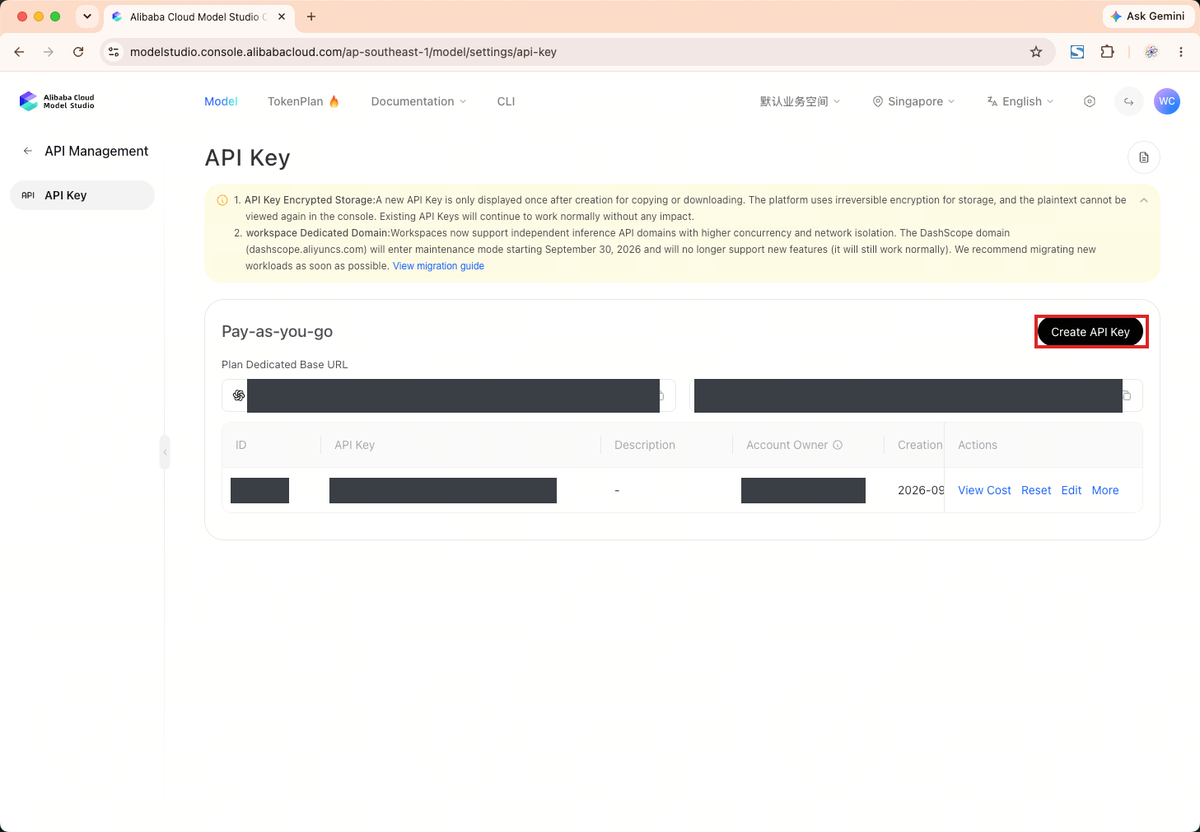
Once you are on this page, click Create API Key on the right. -
Create the key
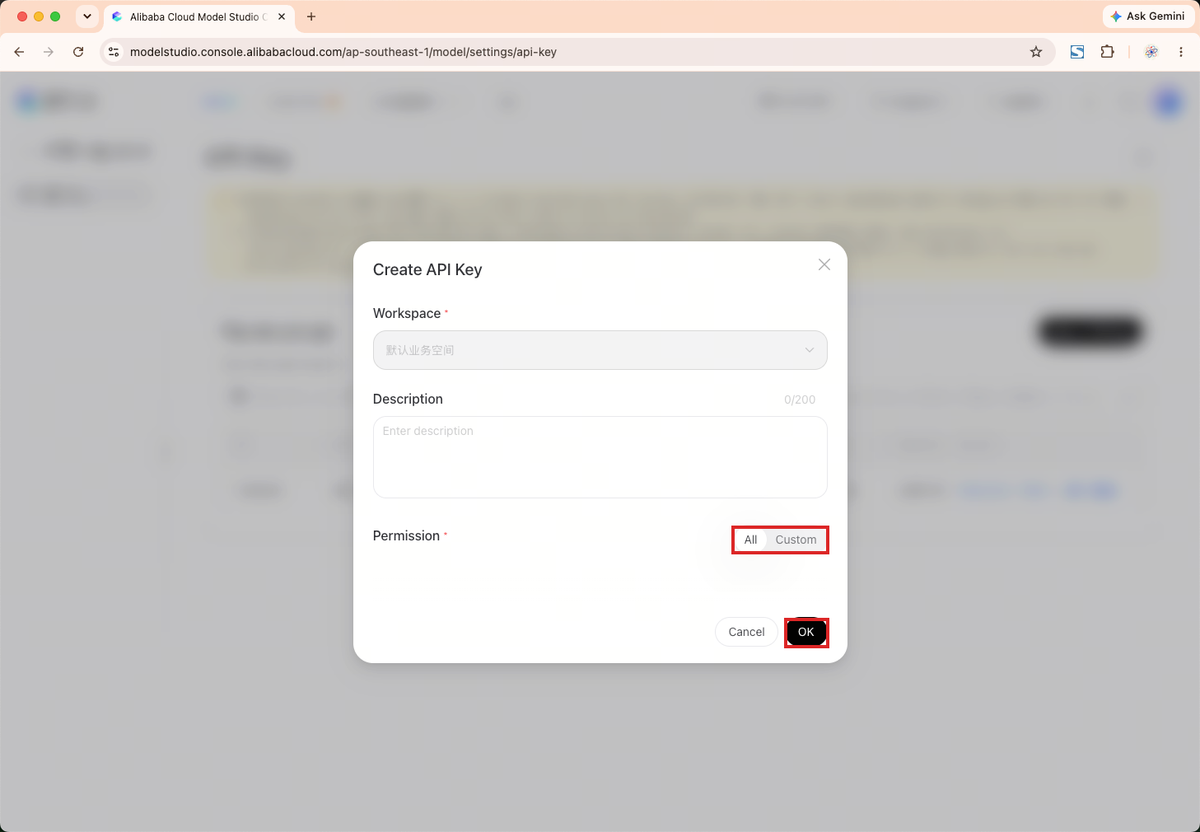
Click Create API Key. Pick the default workspace, set permissions to All, leave the description empty if you like, and confirm.
-
Copy the whole key, right away
The key starts with
sk-and is long — copy all of it. A key missing its last few characters fails exactly like a wrong one. Use the copy button in the dialog.The dialog also offers Download, which saves the key to a file — safer than relying on the clipboard alone.
Once this dialog closes the full key is gone. If you lose it, just delete that key and create another — nothing else is affected.
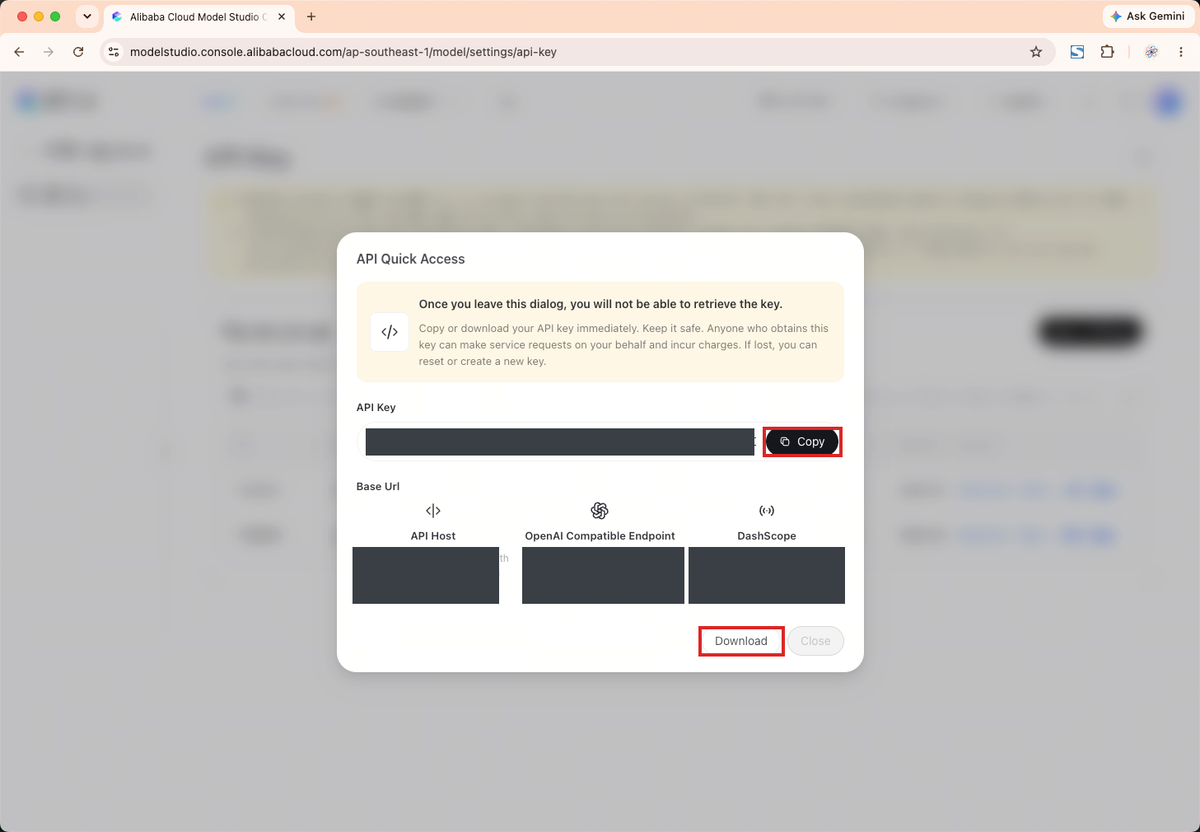
The key and the dedicated domains are blacked out in this screenshot. -
Paste it into the app and press Test
Back on the phone: Settings → How to pay, choose “Use my own Alibaba Cloud key”, and the Qwen API key section appears. Leave the site on International · Singapore, paste the key, press Save, then Test. A green “Connected — the key works” means you are done.
Finally close settings, choose languages under “I speak” and “They speak”, and start. Chinese ⇄ English is free; one “All languages” purchase in settings unlocks the rest.
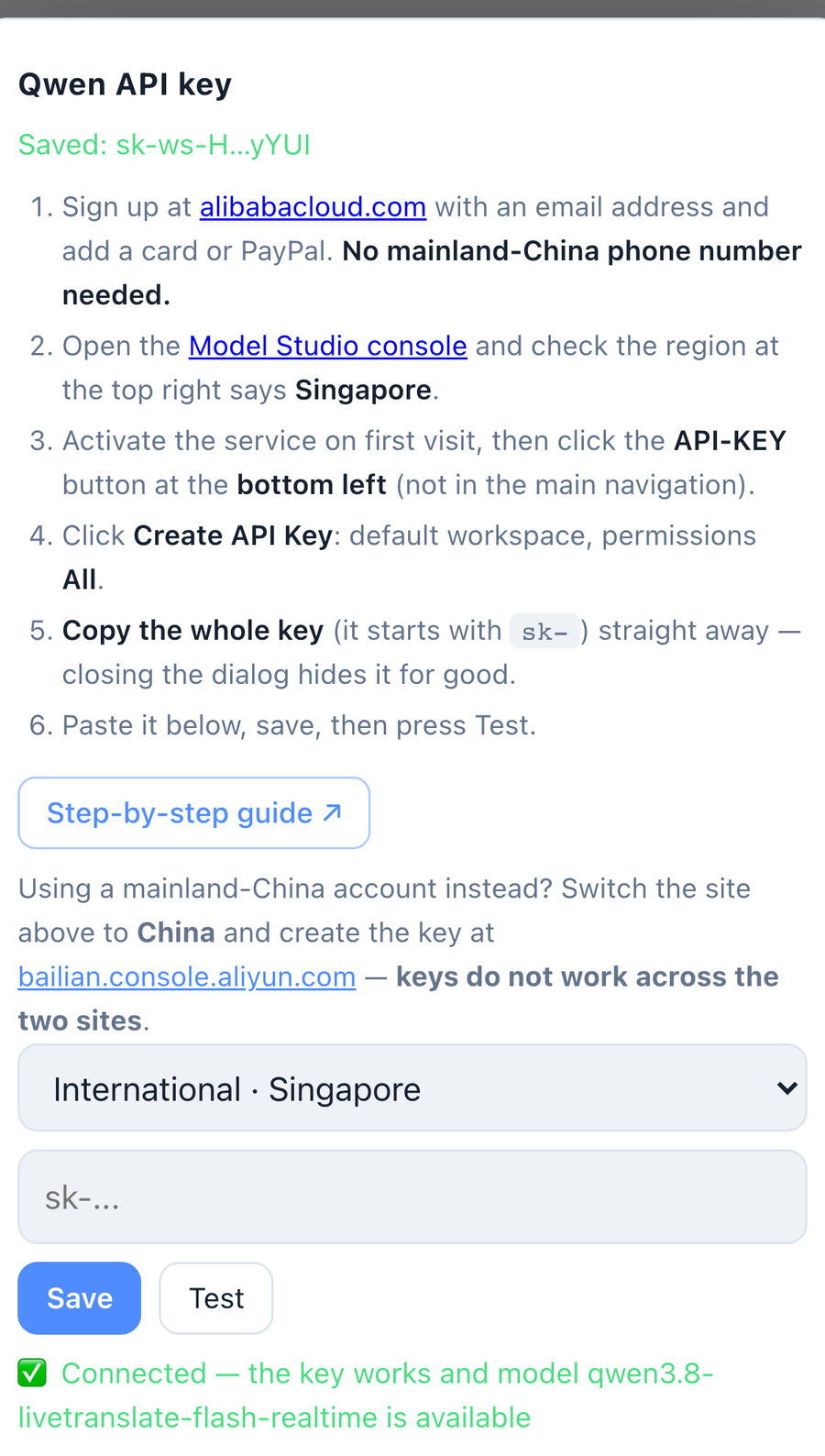
The green line is what success looks like.
If it will not connect
“Invalid API key” — nine times out of ten the region is wrong. Check that the console says Singapore at the top right; if not, switch and create a new key, because a key cannot be moved between regions. Also make sure nothing was cut off the end when pasting.
“This key cannot call the model” — the account has not activated Model Studio yet, or has no usable balance. Check in the console.
“Connection timed out” — the phone cannot reach
dashscope-intl.aliyuncs.com. Try a different network, for example cellular instead of office Wi-Fi.
Want to try it first, or can’t get a key? No key needed: Settings → How to pay → Buy time (no sign-up). A new device gets 5 free minutes — press Start to try it; after that, buy time in the app and every language works.
Still stuck? Write to winer632@qq.com with your device, iOS version and the exact message the Test button gave — that makes it much quicker. Please do not send us your key.